Back in the early summer, my old computer chair finally kicked the bucket. After contending with a broken L-bracket that liked to jab into my side for a few months and the occasional “huh, where is that screw from?” mystery, the back of my chair snapped back, and that was it. Since then, I have had the pleasure of sitting on a wooden kitchen chair with a mediocre cushion. As if a gift from above, realizing my discomfort, when offered the opportunity to check out the Razer Iskur v2 gaming chair, I jumped at the chance (at least I would have, had my legs not been asleep from sitting in the kitchen chair for so long).
I have now been testing the Iskur for a few weeks, and I can safely say that it is vastly better than a wooden kitchen chair.
The Razer Iskur V2 Specs:
- Recommended Weight: < 136 kg / < 299 lbs
- Recommended Height: 160 cm – 200 cm (5’2″ – 6’5″)
- Base: aluminium powder-coated frame
- Frame: Steel
- Armrests: 4D
- Casters: 6 cm caster wheel
- Gas Lift: Class 4
- Foam Type: High-density PU molded foam
- Adjustable back angle: 152 degrees
- Adjustable lumbar cushion
- Built-in lumbar support
- Adjustable headrest
- Memory foam head cushion
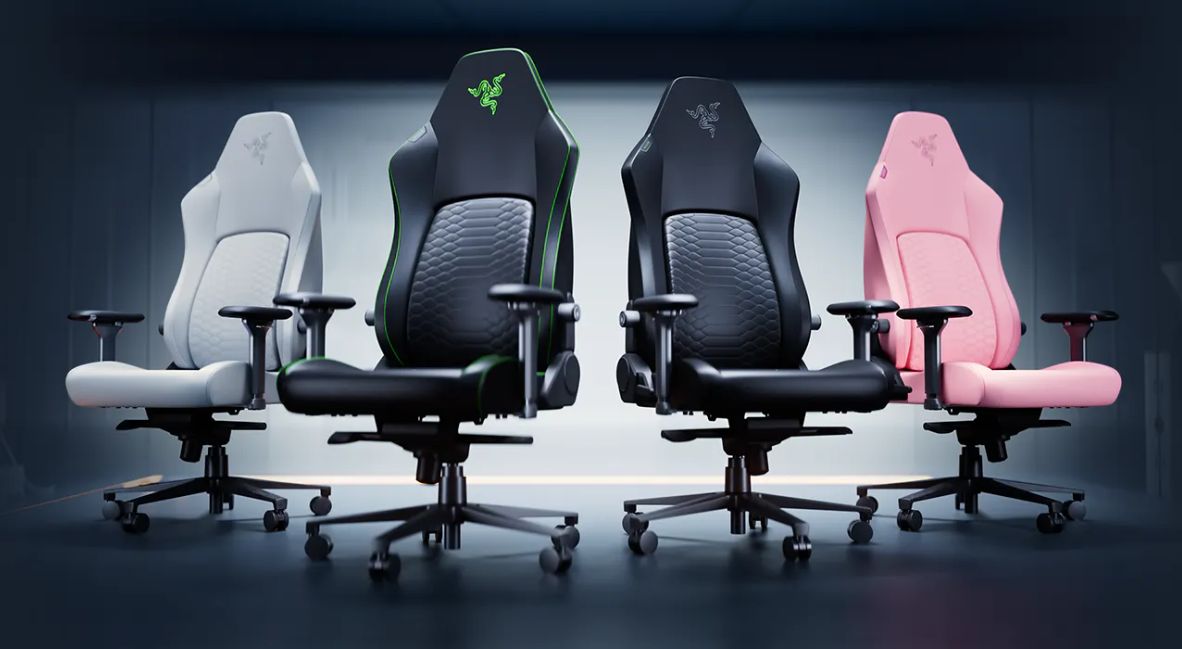
Coming in three color options – dark gray, solid black, and black with the signature Razer green accents – the Iskur V2 is a sturdy chair, even for someone of my stature. I top the charts in terms of who this chair is built for, at 6’2″ and 300 lbs, and even after weeks of sitting in it, working away on my computer and playing games, every component of the chair feels just as tight and sturdy as it did the day I put it together.
The premium nature of the V2 was felt the moment I first started taking it out of the massive shipping box it came in. I was surprised when I pulled the powder-coated aluminum frame that the wheels attach to out of the shipping box.
With its smoky, dark black finish, it was surprisingly heavy, especially as my previous chair’s bases were either wood or plastic. Taking out the black leather back with its almost glowing green piping, my surprise continued, as in no time my chair was put together and I was ready to start enjoying my new throne with an ease that I wasn’t expecting.
The Razer Iskur V2’s customization is its selling point.
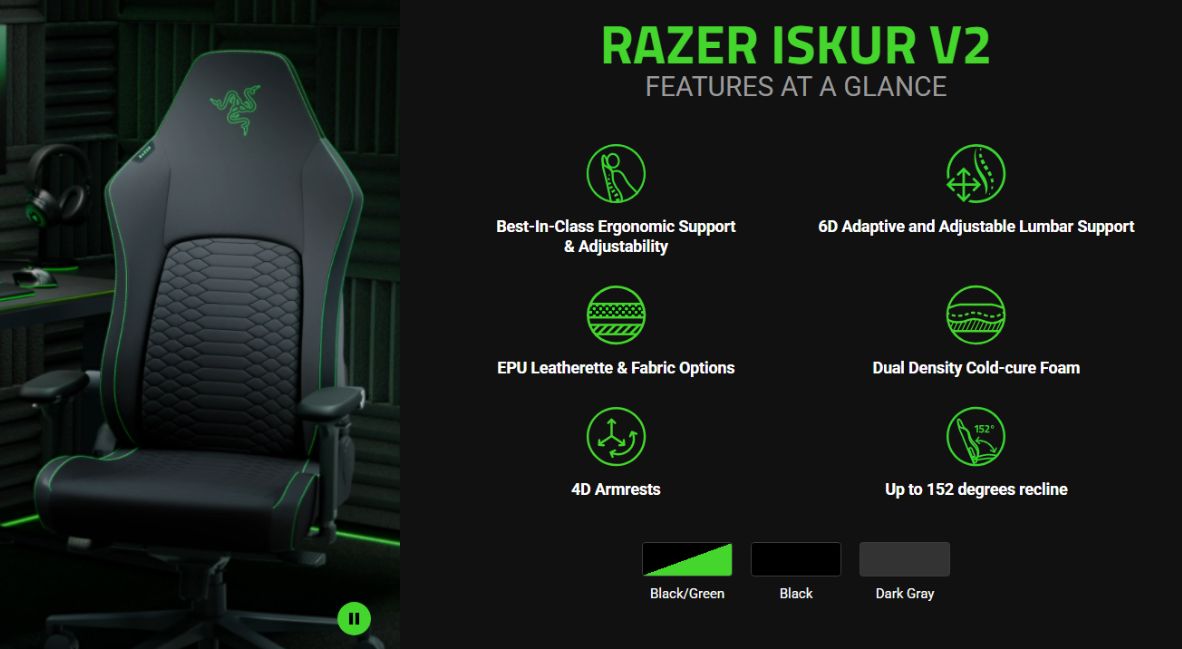
For those who really like to dial in and tweak their chair to fit their body, the Iskur V2 offers plenty of customizable options to make the time you spend sitting as comfortable as possible. Outside of the touted lumbar support and adjustments, which I have spent more time just moving up and down more than I care to admit because it feels so good, the Iskur let me recline far past the point where I felt like it would tip over (it didn’t).
Additionally, I raised and lowered the chair to just the right height where the tops of my legs gently kiss the underside of my keyboard tray just how I like it, and, using the 4D movements of the armrests (that means they can move forward-backward, inwards and outwards, up and down, and twist side to side), it let me pretend I was in some sick pilot’s seat and locking myself into place. Yes, I’m a nerd —I write about board games, video games, and computer chairs—what do you expect?
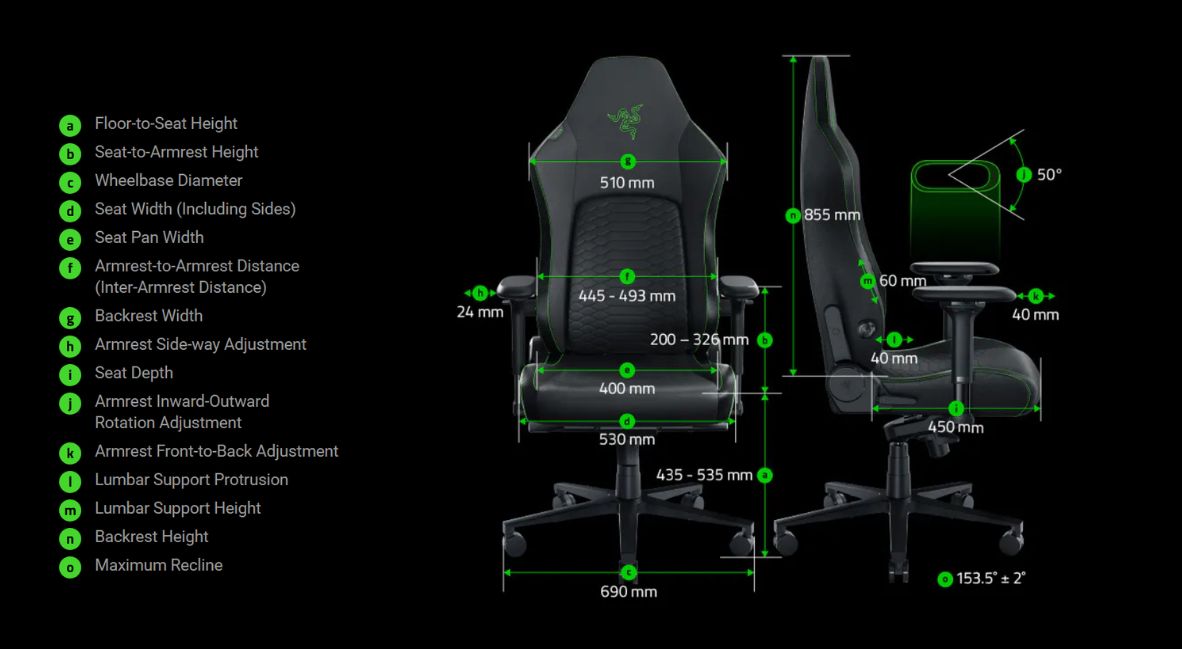
Razer mentioned that one of the main aspects it wanted to address with the Iskur V2 was the expanded seat width, making it more conducive to folks sitting with their knees up or cross-legged in the chair. The seat is very comfortable, and while I will occasionally sit with one leg under the other, I can successfully sit criss-cross-applesauce in the chair; it’s not the most comfortable. To be fair, though, this could also just be because I’m 37 years old, too, and simply sneezing wrong can leave me aching for a week.
If I had one critique of the chair, and the term “critique” may even be too harsh — perhaps “request” is more appropriate — it is that I wish the headrest area had a set of loops that I could feed the straps for the headrest through. The memory foam headrest is great, and I could see myself using it as a travel pillow, but the straps just sort of sit over the top of the back of the chair and slide around. I would love an Iskur V3 if Razer added a couple of loops for the straps to feed through, so I wouldn’t have to worry about the headrest falling off or becoming crooked.
The downside of the Razer Iskur V2 is the price tag.
Here is where we get to the big “butt” of the chair (pun intended): the price tag. Without a sale, the Iskur V2 comes in at $649.99. That’s a lot of money, especially these days, when the price of simply living is becoming a struggle for folks, and the idea of spending what for some could be a month of rent or months’ worth of food on a chair is wild.
There is no escaping that this is a premium product with a matching premium price tag, and as comfortable as it is, is it three times as comfortable as my old chair was when it was new? I don’t know. To Razer’s credit, they do offer an Iskur V2 X, which is a more affordable—but still expensive—option at $299.99, that cuts out some of the features of this version that may be worth considering if that is better for your budget.
While I wouldn’t consider myself a Razer brand loyalist per se, I have enjoyed a number of their products over the years, including gaming mice, keyboards (including a Mac version of the BlackWidow I ordered by mistake and used for about five years), and a couple of laptops. I know enough that when I see a Razer product, I am going to get a quality product alongside something that looks slick, and the Iskur V2 fits the bill.
The Iskur V2’s high price tag does put it outside of many people’s budgets, but if you find yourself working at your computer for long stretches, and it’s within your means, seriously give this chair a look. With the lumbar support, larger seat, and other adjustments, this is the most comfortable computer chair I have ever sat in, and I look forward to years of comfort ahead — almost as much as I looked forward to returning that damn wooden chair back downstairs to my dining room table.
The Iskur V2 is available now on Razer’s website and where Razer products are sold.